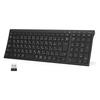
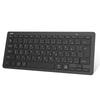
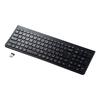
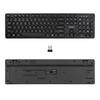
[Compatible with Bluetooth & USB Wireless] Ewin's latest USB wireless keyboard uses Bluetooth and 2.4GHz wireless technology, no complicated driver downloads are required, and you can use it immediately by connecting it to the USB connection strip on your PC. It also supports Bluetooth connection. It supports wireless communication up to 10M and can be used freely regardless of distance or location.
[JIS Japanese Layout Keyboard & Touchpad] The JIS Japanese Layout Keyboard supports Kana and Roman alphabet input. It comes with a touchpad that allows cursor operation, and combines keyboard and mouse functions, making it easy to input text, as well as scroll and zoom in and out.
[Equipped with numeric keypad & shot cut keys] This keyboard is equipped with a numeric keypad, allowing you to enter numbers and symbols smoothly. With 11 types of multi-function keys, you can now perform operations that were previously inconvenient.
[3-device multi-pairing & 3-system compatible] Wireless keyboard that can be connected to 3 devices at the same time and can be quickly switched with one touch. The wireless keyboard is compatible with Windows, Mac, and iOS, so it's perfect for practicing typing on tablets, smartphones, laptops, computers, etc.
[Battery operated & auto sleep function] Can stand by for 1 year continuously with 2 AAA batteries. Battery-powered, ready to use, even if you run out of battery while out and about, you can easily get one at 100 yen stores or convenience stores. Equipped with an automatic sleep function, if used for about 2 hours a day, it can be used continuously for about 2 months. It is also equipped with a power switch that prevents battery consumption, and if you turn it off when not in use, it can standby for up to 12 months, saving you the hassle of frequent battery replacement. *Batteries are not included, so please prepare them separately. The touchpad on our keyboard scrolls up and down like a normal mouse, but the touchpad on a laptop scrolls in the opposite direction to the mouse. Some users of laptops may find that the touchpad scrolls in the opposite direction, but this is a problem with the product settings and is not a product defect.
Bluetooth & 2.4GHz USB wireless keyboard (Requires 2 AAA batteries, which are not included with the product.)


 Επιστροφή χρημάτων λόγω μη παράδοσης