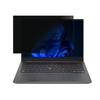
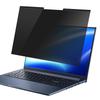
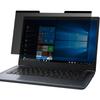
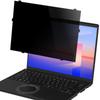
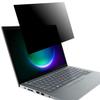
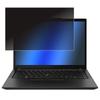
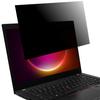
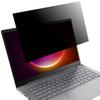
[Removable] Use LOE's original transparent tape, which has different strengths on the front and back sides, to attach the privacy filter directly to the LCD surface. The privacy filter can be easily attached and removed without leaving any residue. [How to use] 1. When you remove the release sheet, the tape will remain on the backing paper side. ② Turn the mount over and align the tape remaining on the mount with the edge of the filter. ③ Trace with your finger on the backing paper and press firmly. ④ If the adhesive strength has weakened, use commercially available cellophane tape, peel it off, and repeat several times. If the adhesive strength does not return, please replace the tape.
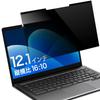
[Privacy Protection] With a viewing angle of 60 degrees, the screen is clear when viewed from the front, but it is a polarizing "prevention filter" that will appear pitch black from the seat next to you.
[Blue Light Cut] The blue light emitted from laptop screens did not exist when we were children. There are growing concerns that highly toxic blue light can cause eye strain and affect internal body rhythms. This product reduces blue light by approximately 35%. If you are thinking about the future, we recommend a film that blocks blue light. With a reflectance of 5.8% and anti-glare, there is almost no reflection of light.
[Anti-reflective treatment] The surface has a matte texture with anti-glare on both sides to reduce reflection and make it easy to see even in areas with a lot of fluorescent lighting. This anti-peep filter for touch panels has a low haze (cloudiness index) of 20% and is designed for easy viewing from the front.
[Compatible models] Panasonic Let's note CF-SR3 CF-QR4 *For models with touch panel only
[Product specifications] Material: Base PET + single-sided anti-reflection coating Thickness: 0.35mm Hardness: 3H Transmittance: 60±5% Haze: 20% Viewing angle: 60° (30° vertically and horizontally) Blue light cut: 35% [Filter size] 280x189mm [Compatible models] Panasonic Let's note SR3 CF-SR3, CF-QR4 Panasonic Let's note CF-SR *For models equipped with touch panel only